
Appendix C — Tidy data
We are going to learn how to organise data using the tidy format. This is because we are using the tidyverse packages Wickham (2023). This is an opinionated, but highly effective method for generating reproducible analyses with a wide-range of data manipulation tools. Tidy data is an easy format for computers to read. It is also the required data structure for our statistical tests that we will work with later.
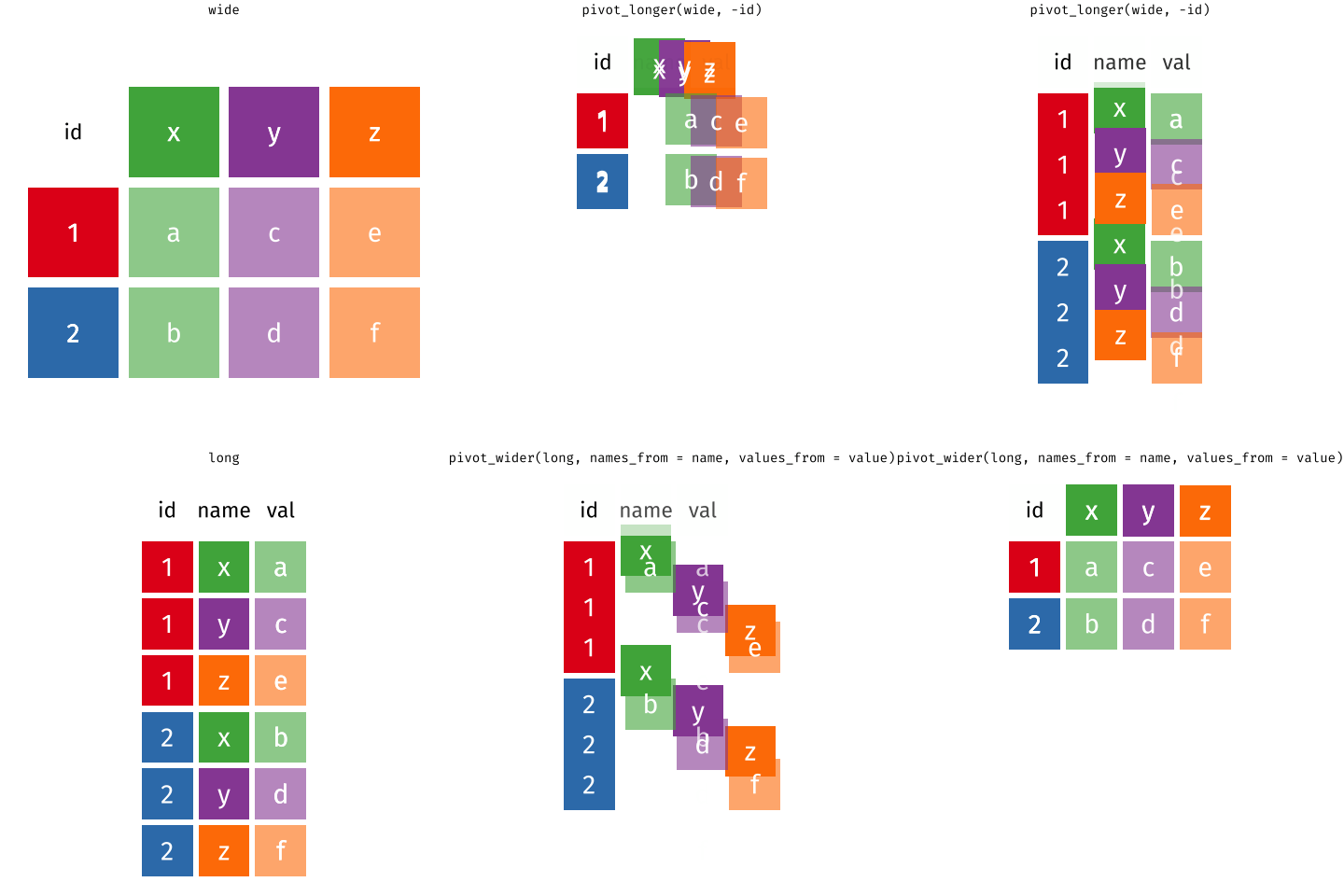
Here ‘tidy’ refers to a specific structure that lets us manipulate and visualise data with ease. In a tidy dataset each variable is in one column and each row contains one observation. Each cell of the table/spreadsheet contains the values. One observation you might make about tidy data is it is quite long - it generates a lot of rows of data - you might remember then that tidy data can be referred to as long-format data (as opposed to wide data).
C.1 Why tidy data?
The data cleaning and analysis tools in R work best with data that is “tidy”
“Tidy” data has a clear and consistent structure, untidy data can be “messy” in lots of different ways
C.2 Using pivot functions
What do we do if the data we are working with in R isn’t “tidy”?
There are functions found as part of the tidyverse that can help us to reshape data.
tidyr::pivot_wider()- from long to wide formattidyr::pivot_longer()- from wide to long format
| country | yr1960 | yr1970 | yr2010 |
|---|---|---|---|
| x | 10 | 13 | 15 |
| y | 20 | 23 | 25 |
| z | 30 | 33 | 35 |
C.2.1 Pivot longer

To save these changes to your data format, you must assign this to an object, and you have two options
Use the same name as the original R object, this will overwrite the original with the new format
Use a new name for the reformatted data both R objects will exist in your Environment
Neither is more correct than the other but be aware of what you are doing.
C.2.2 Overwrite the original object
C.2.3 Create a new r object
C.2.4 Pivot wider
Let’s use the long country data we have just generated as an example of how we could use the pivot_wider() function and reverse the process: